Introduction
As electric vehicles become mainstream, many buyers face a common question: can you use an EV charger without WiFi? Smart chargers often advertise features like remote monitoring, scheduling, and firmware updates that require internet connectivity. But for many drivers, reliable WiFi is not available or desirable. This guide explains how EV chargers work offline, which features you lose without WiFi, and practical options for charging reliably when you do not want or cannot use a wireless network.
Can You Use an EV Charger Without WiFi?
In short, yes. Most EV chargers, especially basic Level 1 and many Level 2 models, will charge an electric vehicle without any WiFi connection. Charging is fundamentally a hardware task: the charger delivers power, the vehicle accepts it, and the charge controller manages the current. Network connectivity is an added layer that enables convenience and management features rather than the core charging function.
Which Chargers Work Offline
- Level 1 chargers (120V) that plug into a standard household outlet are typically plug-and-play and do not need WiFi.
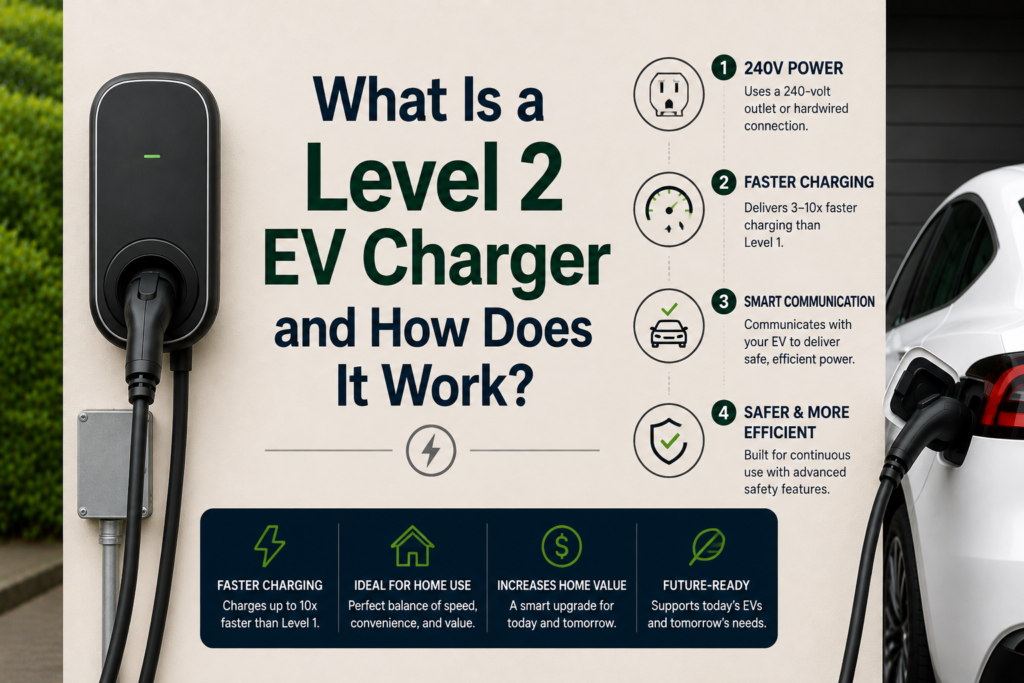
- Many Level 2 chargers (240V) are capable of basic offline operation. They provide power and often have local controls or a physical on/off button.
- DC fast chargers at public stations usually rely on a network for payment and station availability, but technically the charging hardware can operate without WiFi if configured to do so.
What You Lose Without WiFi
While the physical charging function generally remains intact, a number of features will be limited or unavailable if your EV charger is not connected to WiFi.
Common Features That Require Internet
- Remote monitoring and control: You cannot start, stop, or schedule charging using a phone app remotely.
- Smart scheduling: Grid-aware charging, time-of-use rate optimization, and utility signal responses usually need connectivity.
- Firmware updates: Your charger will not receive over-the-air updates, security patches, or feature improvements automatically.
- Usage tracking and billing: Detailed reporting and subscription payments for shared chargers typically require a network connection.
How to Use an EV Charger Without WiFi
There are several practical approaches to using an EV charger without WiFi while keeping many conveniences.
1. Local Controls and Onboard Vehicle Timers
Many chargers include local buttons or toggles to start and stop charging manually. In addition, most EVs have built-in timers and charging schedules that can be set through the vehicle interface. Using the car’s scheduling features lets you take advantage of off-peak rates without needing the charger to be online.
2. Bluetooth and Local Access
Some chargers offer Bluetooth instead of WiFi. Bluetooth allows close-range configuration and monitoring from a smartphone without requiring an internet connection. This maintains privacy and avoids reliance on home networks while still enabling app-based control.
3. Ethernet or Cellular Backups
If WiFi is unreliable, some chargers support wired Ethernet connections or optional cellular modules. Ethernet provides a robust wired alternative, and cellular connectivity can keep the charger online for remote features if you cannot or do not want to use local WiFi.
4. Use a Mobile Hotspot
Using your phone as a temporary hotspot can enable WiFi-dependent features when needed, such as firmware updates or remote diagnostics. Keep in mind data usage for firmware downloads and monitoring traffic.
Security and Privacy Considerations
Using a charger offline can increase privacy and reduce exposure to networked attacks, but it also means you will not receive security updates. If you choose to operate without WiFi, consider the following:
- Choose chargers with robust local authentication and secure physical controls.
- Periodically connect to a secure network or hotspot to install manufacturer firmware updates.
- If the charger supports Ethernet, use a trusted wired network rather than an open WiFi network.
Choosing an EV Charger If You Plan to Be Offline
If you expect to operate without WiFi, prioritize chargers that explicitly support offline modes. Look for:
- Clear manual controls or simple LED status indicators
- Bluetooth support for local app access without internet
- Optional wired or cellular connectivity if you want the ability to go online selectively
- Reliable safety features such as ground fault protection and thermal monitoring that work independently of a network
Troubleshooting Common Offline Issues
- If the charger shows a network error but will not charge, check for a physical lockout or energy management setting that requires a disabled network policy.
- For smart-home integrations that stop functioning, revert to manual controls or the vehicle timer until connectivity is restored.
- When firmware updates are overdue, contact the manufacturer for guidance on offline update procedures or temporary hotspot use.
Worked Example: Scheduling Without WiFi
Most of the money a WiFi charger saves comes from charging off-peak — and most EVs can schedule charging from the car itself. Driving 1,000 miles a month at 3.5 miles per kWh with 10% charging losses takes about 317.5 kWh:
| Setup | When it charges | Monthly cost (35¢ peak / 15¢ off-peak) |
|---|---|---|
| Non-WiFi charger, no schedule, plug in at 6 p.m. | Mostly peak | up to $111.13 |
| Non-WiFi charger + car’s built-in charging timer | Off-peak | $47.63 |
| WiFi charger with app scheduling | Off-peak | $47.63 |
The timer in your car captures the same $63.50 a month as a smart charger. WiFi becomes worth paying for when your utility’s rebate or EV rate specifically requires a networked charger, or when you want per-session energy tracking.
Figures in this example are illustrative and rounded; check your own utility’s rate schedule.
Sources and Further Reading
- U.S. EIA — Short-Term Energy Outlook: Electricity (residential prices)
- U.S. DOE Alternative Fuels Data Center — Charging Plug-In Electric Vehicles at Home
- ENERGY STAR — Certified Electric Vehicle Chargers
Last reviewed: October 2026.
Conclusion
Yes, you can use an EV charger without WiFi. The essential charging function does not require internet access, and many Level 1 and Level 2 chargers operate perfectly offline. However, you will lose convenience features like remote control, smart scheduling, and automatic updates. Evaluate whether you prefer the privacy and simplicity of offline operation or the convenience of a connected smart charger. If you choose offline use, select a charger designed to support local controls, consider Bluetooth or wired alternatives, and remember to periodically connect for firmware and security updates.
Choosing the right charger depends on your lifestyle, home network reliability, and priorities for convenience versus privacy. Understanding these trade-offs will help you make an informed decision about charging your EV without WiFi.